About Google Messages
| Name: | Google Messages |
| Price: | Free |
| Version: | messages.android_20250821_00_RC02.phone_dynamic |
| Author: | Google LLC |
| Category: | communication |
| Package: | com.google.android.apps.messaging |
Overview
Google Messages is the default messaging app for Android devices, designed to modernize traditional SMS with Rich Communication Services (RCS). Developed by Google, it combines simplicity with advanced features like end-to-end encryption, smart suggestions, and seamless integration with other Google services, offering a versatile platform for personal and group conversations.
Brief
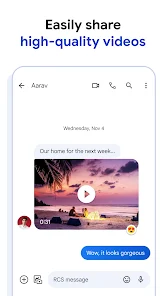
This app transforms standard texting into a dynamic experience by supporting high-resolution media sharing, read receipts, and real-time typing indicators via RCS. It serves as a hub for SMS, MMS, and internet-based messaging, while prioritizing privacy and user-friendly customization. Its compatibility with most Android devices and gradual RCS adoption make it a future-forward choice.
How to Use
1. Download from the Google Play Store and set it as your default messaging app.
2. Start conversations using your phone number or linked email.
3. Enable RCS Chat features in settings for enhanced messaging capabilities.
4. Use in-chat tools like reactions, GIFs, or Google Assistant integration.
5. Organize messages with categories (Personal, Business, OTPs) and block spam.
Features
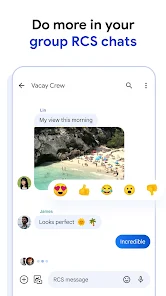
• RCS Support: Send high-quality media, use typing indicators, and enjoy group chat upgrades.
• End-to-End Encryption: Secure one-on-one RCS conversations with Google’s encryption.
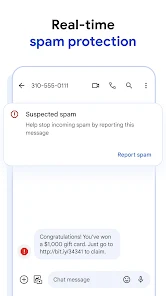
• Smart Organization: AI-powered message sorting and spam detection.
• Google Integration: Access Assistant, share locations, and sync with web browsers.
• Customization: Personalize chat bubbles, themes, and notification sounds.
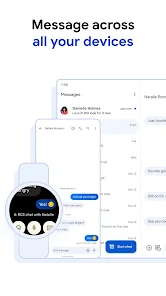
• Cross-Device Compatibility: Sync messages across Android devices and web.
Pros
• Elevates SMS with free RCS features, reducing reliance on third-party apps.
• Strong privacy controls, including encryption and spam blocking.
• Intuitive design with helpful tools like auto-suggested replies.
• Works seamlessly with Android ecosystems and Google services.
• Regular updates with feature expansions (e.g., emoji mashups, photo reactions).
Cons
• RCS functionality limited when texting non-Android users (e.g., iPhones).
• Some features depend on carrier support, causing regional inconsistencies.
• Occasional bugs in message delivery or syncing across devices.
• Lacks advanced customization compared to third-party messaging apps.
Conclusion
Google Messages bridges the gap between traditional texting and modern chat apps, offering a secure, feature-rich experience for Android users. While its dependency on RCS adoption and carrier cooperation can limit functionality, its intuitive design, privacy focus, and integration with Google’s ecosystem make it a top choice for streamlined communication. Ideal for those seeking an upgrade from basic SMS without switching platforms.