About ToonApp: Photo to Cartoon Me
| Name: | ToonApp: Photo to Cartoon Me |
| Price: | Free |
| Version: | 3.1.19 |
| Author: | Lyrebird Studio |
| Category: | photography |
| Package: | com.lyrebirdstudio.cartoon |
Overview
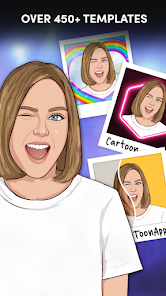
ToonApp: Photo to Cartoon Me is a creative photo-editing app designed to transform ordinary photos into vibrant cartoon-style artwork. With its AI-powered tools and diverse filters, it caters to users seeking a fun, artistic twist for social media, avatars, or personalized projects.
Brief
Available on Android via Google Play, ToonApp simplifies cartoon conversions with one-tap filters and advanced customization. It blends AI technology with manual editing options, offering flexibility for both casual users and creative enthusiasts.
How to Use
- Select a Photo: Choose an image from your gallery or take a new photo.
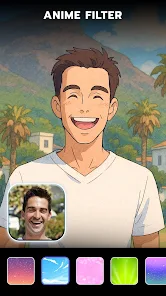
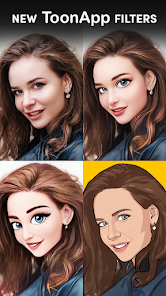
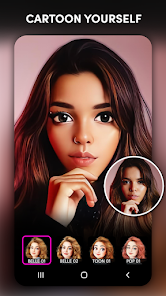
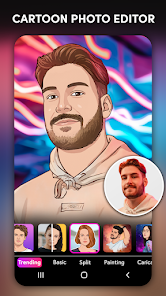
- Apply Effects: Pick from cartoon, anime, sketch, or comic-style filters.
- Adjust Settings: Fine-tune brightness, contrast, and line intensity.
- Save & Share: Export in HD and share directly to social platforms.
Features
- 20+ cartoon styles (3D, pop art, pencil sketch).
- AI face recognition for automatic enhancements.
- Background editing and sticker overlays.
- HD export without watermarks in premium version.
- Real-time preview and undo/redo options.
Pros
- Intuitive interface suitable for beginners.
- Wide variety of artistic filters.
- Quick processing with minimal lag.
- Free version offers substantial functionality.
Cons
- Ad-heavy in free version.
- Premium features require a subscription.
- Occasional over-smoothing of facial details.
- Limited customization compared to desktop software.
Conclusion
ToonApp: Photo to Cartoon Me excels as a mobile-friendly tool for instant cartoon transformations. While ads and premium paywalls may frustrate some, its ease of use and diverse effects make it a standout choice for casual users and content creators aiming to add playful flair to their visuals.