About IPTV
| Name: | IPTV |
| Price: | Free |
| Version: | 8.2.4 |
| Author: | Alexander Sofronov |
| Category: | video_players |
| Package: | ru.iptvremote.android.iptv |
Overview
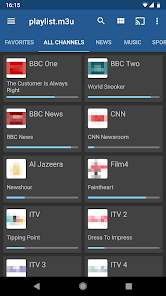
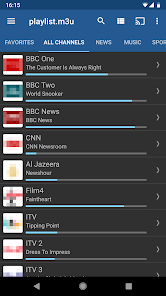
IPTV is a versatile Android app designed to transform your device into a powerful remote control for IPTV (Internet Protocol Television) services. Tailored for users who stream live TV, movies, and series via IPTV subscriptions, it simplifies channel navigation, program scheduling, and content management. Compatible with most Android-based set-top boxes and smart TVs, it also integrates with popular media players like VLC for enhanced playback flexibility.
Brief
This app bridges the gap between traditional TV remote functionality and modern IPTV streaming. It offers an intuitive interface to browse channels, access electronic program guides (EPG), set reminders, and even record live TV. While the app itself doesn’t provide content, it acts as a control hub for external IPTV services, making it ideal for tech-savvy cord-cutters seeking a unified viewing experience.
How to Use
1. Install the app and link it to your IPTV service by entering your provider’s playlist URL or M3U file.
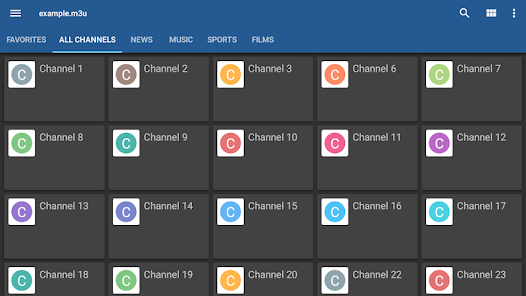
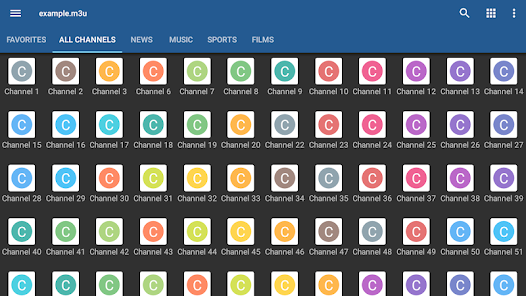
2. Customize your channel list, organize favorites, and adjust EPG settings for accurate program schedules.
3. Use the remote-style interface to switch channels, schedule recordings, or enable parental controls.
4. Stream content directly within the app or export it to external players for advanced playback options.
Features
- Multi-Format Support: Works with M3U, XSPF, and JSON playlists.
- EPG Integration: Displays detailed program schedules for easy navigation.
- Recording Functionality: Save live TV to your device for offline viewing.
- Favorites & Parental Controls: Curate channels and restrict access to adult content.
- External Player Compatibility: Seamlessly switch to VLC, MX Player, or other apps.
Pros
- Streamlined interface for managing IPTV services efficiently.
- Highly customizable channel lists and EPG layouts.
- Free to use with optional ads (removable via in-app purchase).
- Reliable recording feature enhances flexibility.
- Broad compatibility with Android devices and IPTV providers.
Cons
- Requires technical setup (playlist URLs, EPG sources).
- Ads in the free version may disrupt user experience.
- Limited customer support for troubleshooting.
- Occasional bugs during playback or recording.
Conclusion
IPTV is a robust tool for IPTV enthusiasts seeking greater control over their streaming experience. Its blend of customization, recording capabilities, and multi-player support makes it a standout choice, though beginners might face a learning curve. While the free version suffices for basic use, upgrading to premium removes ads and unlocks advanced features. Recommended for users comfortable with IPTV setups who want a centralized management solution.