About Twitch: Live Streaming
| Name: | Twitch: Live Streaming |
| Price: | Free |
| Version: | 13.0.0.2 |
| Author: | Twitch Interactive, Inc. |
| Category: | entertainment |
| Package: | tv.twitch.android.app |
Overview
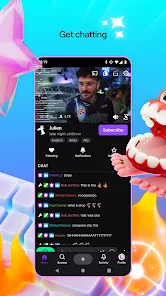
Twitch: Live Streaming is the go-to app for gamers, content creators, and viewers seeking real-time interaction through live broadcasts. With millions of daily active users, Twitch offers a vibrant platform for streaming gameplay, IRL (In Real Life) moments, creative arts, and niche hobbies. Its integrated chat feature fosters community engagement, making it a social hub for fandoms and streamers alike.
Brief
Twitch dominates the live-streaming landscape, specializing in gaming and entertainment. Launched in 2011, it has evolved into a cultural phenomenon, enabling creators to monetize content via subscriptions, ads, and donations. The app supports cross-platform streaming and viewing, ensuring accessibility for both Android users and beyond.
How to Use
1. Download & Sign Up: Install the app and create a free account using email or social media.
2. Follow Channels: Search for favorite streamers or browse categories like "Just Chatting" or "Esports."
3. Engage Live: Participate in real-time chats, send emotes, or cheer with Bits (virtual currency).
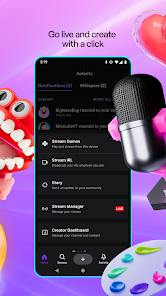
4. Go Live: Tap the "Create" button to start streaming; customize settings for resolution, labels, and chat moderation.
5. Monetize: Enable subscriptions, ads, or donations once eligible through the Twitch Partner or Affiliate program.
Features
Live Streaming: Broadcast gameplay, IRL content, or creative sessions with low latency.
Community Interaction: Use chat, polls, and channel points to engage viewers.
Monetization Tools: Earn via subscriptions, Bits, ads, and direct donations.
Clips & VODs: Save highlights or past streams for on-demand viewing.
Customization: Personalize channels with overlays, alerts, and moderation bots.
Pros
Vast Community: Connect with niche audiences and global fandoms.
Revenue Streams: Multiple monetization options for dedicated creators.
Cross-Platform: Stream from consoles, PCs, or mobile devices seamlessly.
Interactive Tools: Emotes, stickers, and chat commands enhance engagement.
Cons
Steep Learning Curve: New streamers may find setup and moderation overwhelming.
Ad Overload: Non-subscribers encounter frequent ads during streams.
Chat Toxicity: Large channels often struggle with spam or harassment.
Battery Drain: Extended streaming or viewing sessions impact device battery life.
Conclusion
Twitch remains unmatched in live-streaming innovation, blending entertainment with community-driven interaction. While its interface can be daunting for newcomers, the app’s robust tools for creators and viewers make it a powerhouse for real-time content. Ideal for gamers, artists, and anyone craving authentic engagement—just brace for ads and a chaotic chat experience in popular streams.